The JSON Formatter parses JSON in your browser and writes it back with two- or four-space indentation, or with no extra whitespace. Here is a small API-style payload you can use to check the result.
A complete input and output example
Paste this one-line input, select 2 spaces, and choose Format JSON:
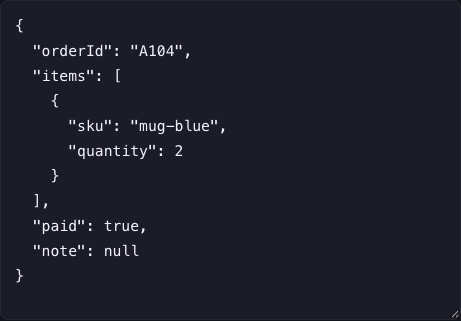
{"orderId":"A104","items":[{"sku":"mug-blue","quantity":2}],"paid":true,"note":null}The formatted output is:
{
  "orderId": "A104",
  "items": [
    {
      "sku": "mug-blue",
      "quantity": 2
    }
  ],
  "paid": true,
  "note": null
}
items is an array containing an object; quantity is a number, paid is a boolean, and note is null. Minify JSON returns the one-line version. This changes presentation, not the meaning of this sample.
Invalid JSON: three repairs you can reproduce
The tool prefixes parser errors with Invalid JSON:. The rest of the message and any line or position numbers depend on your browser. Fix the first reported issue, then run Format JSON again.
| Invalid input | Why it fails | Corrected input |
|---|---|---|
{"paid":true,} | Trailing comma before the closing brace | {"paid":true} |
{orderId:'A104'} | Unquoted key and single-quoted string | {"orderId":"A104"} |
{"items":[1,2} | Array closes with a brace instead of a bracket | {"items":[1,2]} |
JSON does not allow JavaScript comments. Remove comments from a copy of the input rather than assuming a formatter will strip them. The syntax is defined in RFC 8259.
What validation does and does not check
{"quantity":"two"} is valid JSON. The formatter cannot tell you whether an API expects an integer instead of a string: that requires the API's schema or contract. A successful parse also does not prove a webhook is authentic or its data is correct.
This tool uses JavaScript’s JSON.parse and JSON.stringify. It now stops formatting if an integer is outside JavaScript’s safe range. For example, {"id":9007199254740993} is flagged rather than silently returned with changed digits; write {"id":"9007199254740993"} to preserve an identifier exactly. Duplicate object keys are still reduced to the last value, and decimal representations can change. Do not use this formatter to preserve the exact bytes of signed payloads.
The input limit is 2 MB. You can open a local .json file or drop it into the input, then download formatted output. Expand the path inspector to search the first 500 values. Work on a representative sample for larger datasets. Processing is local, but avoid pasting credentials or personal data into examples you plan to share.
Continue with the same task
Repair invalid JSON · Check formatting limitations · Developer cheat sheets